Write your prompt
Describe the subject, setting, style, lighting, and framing.
Powered by MiniMax H3 Image
Generate and download images from text prompts with MiniMax H3 Image. Choose your size and aspect ratio. Reference-image editing is currently unavailable.
Credit cost depends on output resolution. See the estimate before generating. · See pricing →
The image model
MiniMax-H3-Image is the still-image model in the MiniMax H3 family. MiniMax offers the model through its official API.
Turn a text prompt into an image. Try describing the subject, setting, lighting, and composition you want to see.
Gen Image AI is an independent product. We are not the developer or the official website of the MiniMax H3 model — we provide the interface, account system, credits, and generation history that let you use it.
Start Generating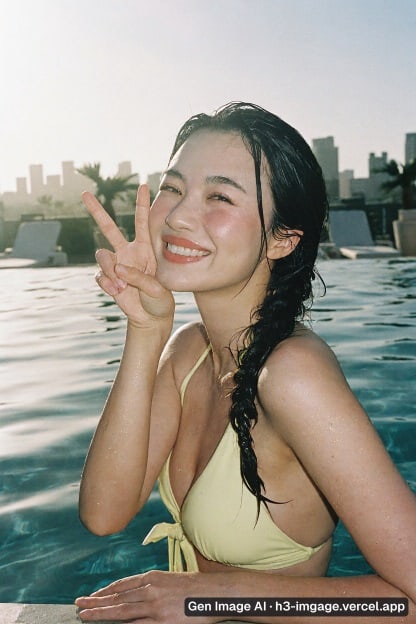
Write a prompt, choose an available aspect ratio, generate, and download your result.
Describe the subject, setting, style, lighting, and framing.
Select an available ratio to fit the image destination.
Submit your prompt and review the result when generation finishes.
Refine your prompt if needed, then download the image you want to keep.
Create campaign visuals, product scenes, editorial artwork, portraits, and concept art from a written brief.
Campaign concepts, thumbnails, ad variations, and social posts in the ratio each channel needs.
Describe a product and its setting to generate a scene for a campaign or concept.
Article headers, explainers, and presentation visuals generated from a written brief.
Explore photographic portraits, cinematic scenes, illustration styles, and character concepts.
Generate images with the MiniMax H3 Image model directly from your browser.
Describe your idea and choose the output size and aspect ratio on the same page.
Choose 1K, 2K, or 4K, or let H3 Image pick a ratio from your prompt. A 4K 16:9 image comes out at 5472×3072.
Generate a batch in one run and keep the one that works.
Credits are calculated and displayed up front, and failed images return eligible credits.
Open your generation history to review saved images and the prompts used to request them.
Choose an aspect ratio and a 1K, 2K, or 4K output tier.
| Aspect ratio | 2K output | 4K output |
|---|---|---|
| 1:1 | 2048×2048 | 4096×4096 |
| 4:3 / 3:4 | 2368×1760 / 1760×2368 | 4736×3552 / 3552×4736 |
| 16:9 / 9:16 | 2720×1536 / 1536×2720 | 5472×3072 / 3072×5472 |
| 3:1 / 1:3 | 3552×1184 / 1184×3552 | 7104×2368 / 2368×7104 |
The table shows example sizes. Exact pixel dimensions depend on the provider.
Start with where the image will appear. Square (1:1) works for profile photos, product tiles, and feeds that crop to a square. Landscape 16:9 fits site heroes, video thumbnails, and slide backgrounds. The 4K example in the table leaves extra room to crop. Vertical 9:16 fits stories, reels, and mobile full-screen layouts. Portrait 3:4 works for character studies and posters, while a 3:1 banner suits site headers, newsletter strips, and marketplace billboards. Start at 1K to compare layouts, then rerun your preferred prompt at 4K when you need more detail. The next run may give a different composition.
A matte ceramic coffee cup on a walnut desk beside a rain-streaked window, morning side light, 85mm product shot, shallow depth of field, muted tones.Side light reveals the matte texture, and shallow focus keeps the cup distinct from the window.
Street portrait of a woman in a mustard raincoat under a shop awning, overcast afternoon light, 35mm documentary framing, film grain.A 35mm frame leaves room to show the street, while overcast light softens shadows on the face.
Floating stone library above a sea of clouds at dusk, warm rim light from the west, ultra-wide establishing shot, painterly detail.The wide frame establishes the scale, and rim light separates the library from the clouds.
Top-down flat lay of travel essentials on linen: passport, film camera, sunglasses, folded map, soft diffused daylight, even shadows.The overhead angle makes each item legible, and soft lighting keeps the shadows from crossing nearby objects.
| H3 Image | H3 Image Highspeed | |
|---|---|---|
| Best for | final renders from text prompts | fast iteration on prompts |
| Area presets | 1K / 2K / 4K | 1K / 2K / 4K |
| Images per request | up to 10 | up to 10 |
| Parameters and limits | identical | identical |
Both variants take the same parameters and limits. Switch to Highspeed while you are still deciding on a prompt, then switch back to H3 Image for the final render.
Text-to-image generation is available in 1K, 2K, and 4K. Exact pixel dimensions depend on the aspect ratio and provider, so use the size table as a guide when planning a print or crop. You can request up to 10 images at once, although the provider may deliver fewer. Reference-image editing is currently unavailable. Choose PNG, JPG, or WebP, and write prompts in English or Chinese. The generator shows the estimated credit cost before you start and returns eligible credits for failed images.
Common questions
H3 Image is the still-image model in MiniMax’s H3 family. MiniMax offers it through its official API.
P-H3-Image is another name you will see for this model in community releases and workflows. It refers to the same MiniMax H3 image model used here.
If you searched for “ph3 image” or “p-h3-image,” both spellings refer to MiniMax H3 Image in this context.
The MiniMax H3 family includes video generation models and MiniMax-H3-Image for still images.
No. Images on Gen Image AI are paid with credits, and the exact cost is shown before you generate. Any image that fails is returned to your balance.
Request up to 10 images at a time. The provider may return fewer. Credits are charged for images that are saved.
Choose 1K, 2K, or 4K. The exact pixel dimensions depend on the provider and aspect ratio.
Reference-image editing is currently unavailable. The homepage generator creates new images from text prompts.
Yes. Both English and Chinese prompts are accepted.
Yes. Every result can be downloaded individually from the result view and from your generation history.
Timing depends on resolution and image count. Saved images appear when the request finishes.
Gen Image AI is an independent product that uses the MiniMax H3 Image model.
A prompt that fails the pre-generation safety check does not use credits. If an image fails during generation, eligible credits are returned automatically.
Describe what you want to create with MiniMax H3 Image.
Gen Image AI — H3 Image generator. Independent product, not affiliated with MiniMax.
Support
support@gen-image-ai.orgTo request a refund in exceptional circumstances, email us your order details and the reason for your request. We usually review complete requests within 1–3 business days.